
Most people treat a fresh Linux installation as a clean slate. Usually you install a browser, set your terminal font, run an update, and get on with real work. Over the years, though, I have noticed that my environment only feels usable when a handful of command line tools are present. These tools dramatically reduce friction and make daily tasks more efficient and reliable.
This is not a list of flashy utilities that you install once and forget three days later. These are the tools that remain on every system I use for more than ten minutes. They help me navigate the filesystem, monitor system performance, remove files safely, or download large data without the usual headaches.
If you use Linux regularly, whether on a laptop, workstation, or server, these tools provide a noticeable improvement to your command line experience. They also fit neatly into practically any distribution ecosystem. Package availability is wide, footprints are small, and usage patterns are intuitive enough that you can adopt them gradually. Most Linux users eventually build a personal collection like this. Here is mine:
Carapace: Smarter and context-aware completion
Shell completion is one of those features that you appreciate only after using a system that lacks it. Bash offers basic completion, but it is frequently incomplete or out of date. Fish, Zsh, and other shells provide richer completion sets, but keeping them aligned across applications becomes an ongoing chore.
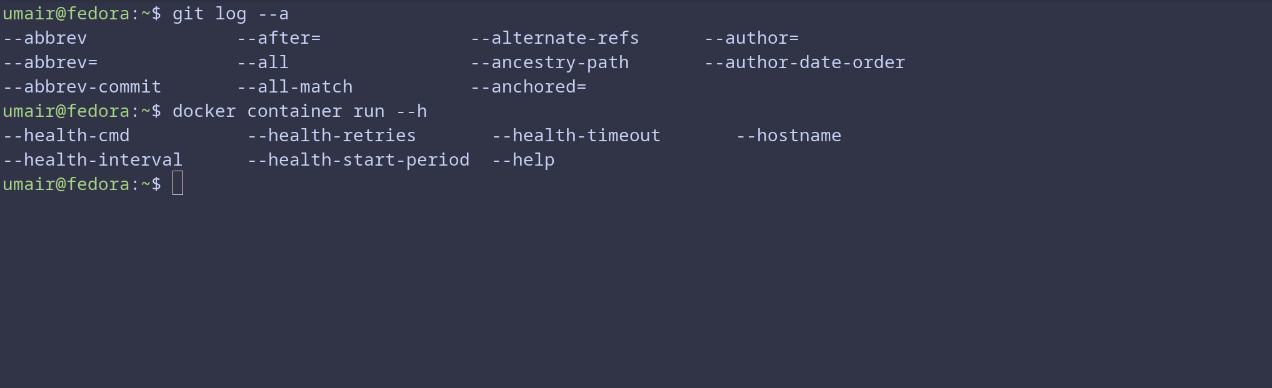
Carapace solves that by generating completions at runtime. It works across shells and frees me from memorizing obscure flags. Once it is running, I waste far less time second guessing syntax for tools I only touch occasionally. Every time I find myself on someone else’s server with their questionable dotfiles, Carapace quietly keeps me sane.
Tealdeer: Tldr readable pages at lightning speed
Man pages are comprehensive, but they read like legal documents written by someone who has never experienced human fatigue. TLDR pages give short examples instead, and Tealdeer is the fastest way to access them. It downloads and caches the pages, then displays them instantly.
When I am switching contexts, languages, or tools, Tealdeer keeps me from wading through pages of syntax I already know but cannot recall at the moment (my brain stores flags like a drawer that only opens halfway). Also, I have contributed to the project too, which gives it a special place in my setup.
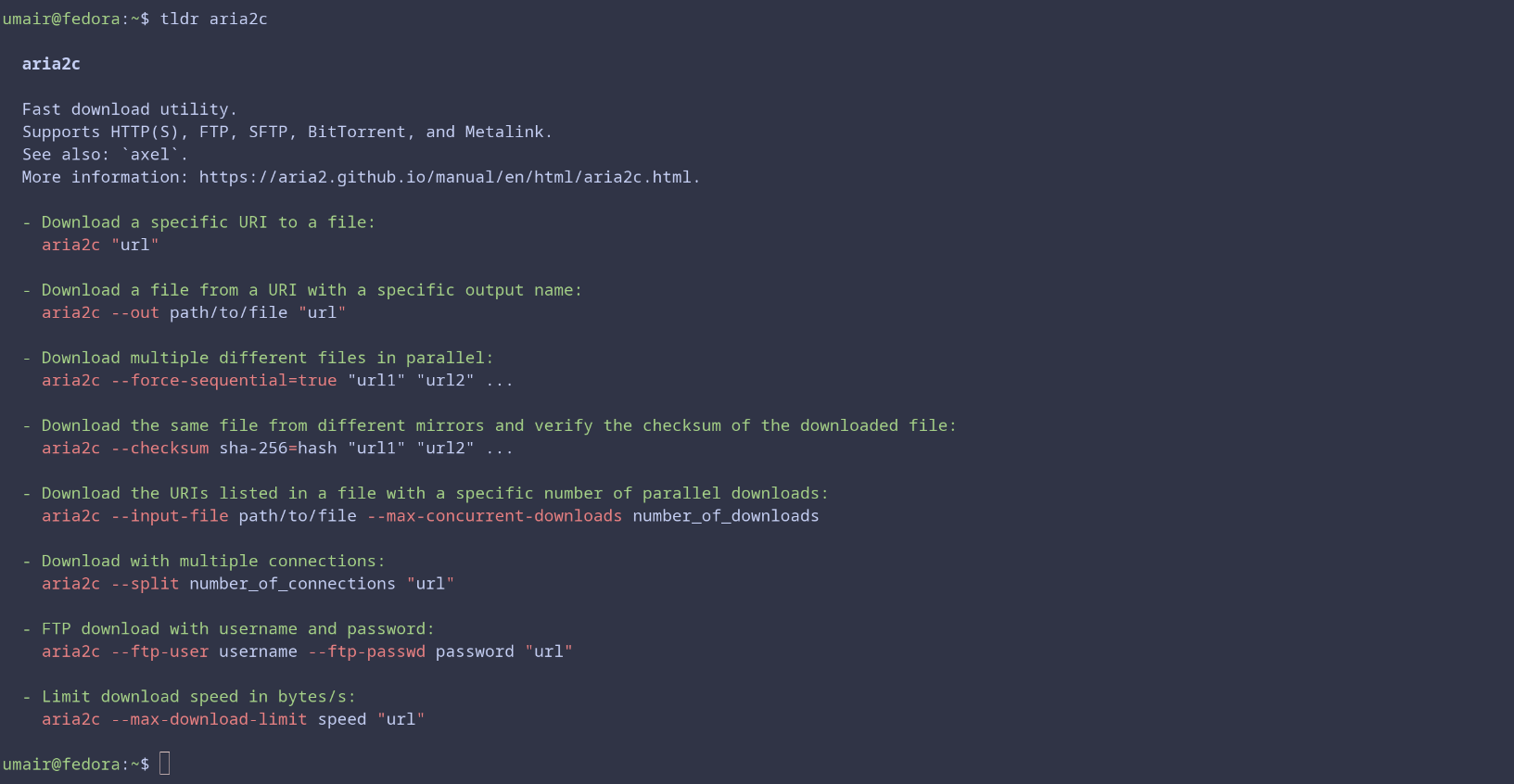
Tealdeer has become one of those utilities I tap out reflexively. When I cannot remember the exact pattern for a command, it is there. When I am teaching someone else, it is even more useful because it shows examples in a simple format.
Yazi: Terminal file manager that feels modern
Terminal file managers often feel like they survived from a previous century. Yazi feels like it belongs in the present. It is fast, readable, and clean, with a layout that helps maintain context as you jump through directories. It works the way I always wanted a text-based file manager to work, without the visual clutter that older tools accumulate.
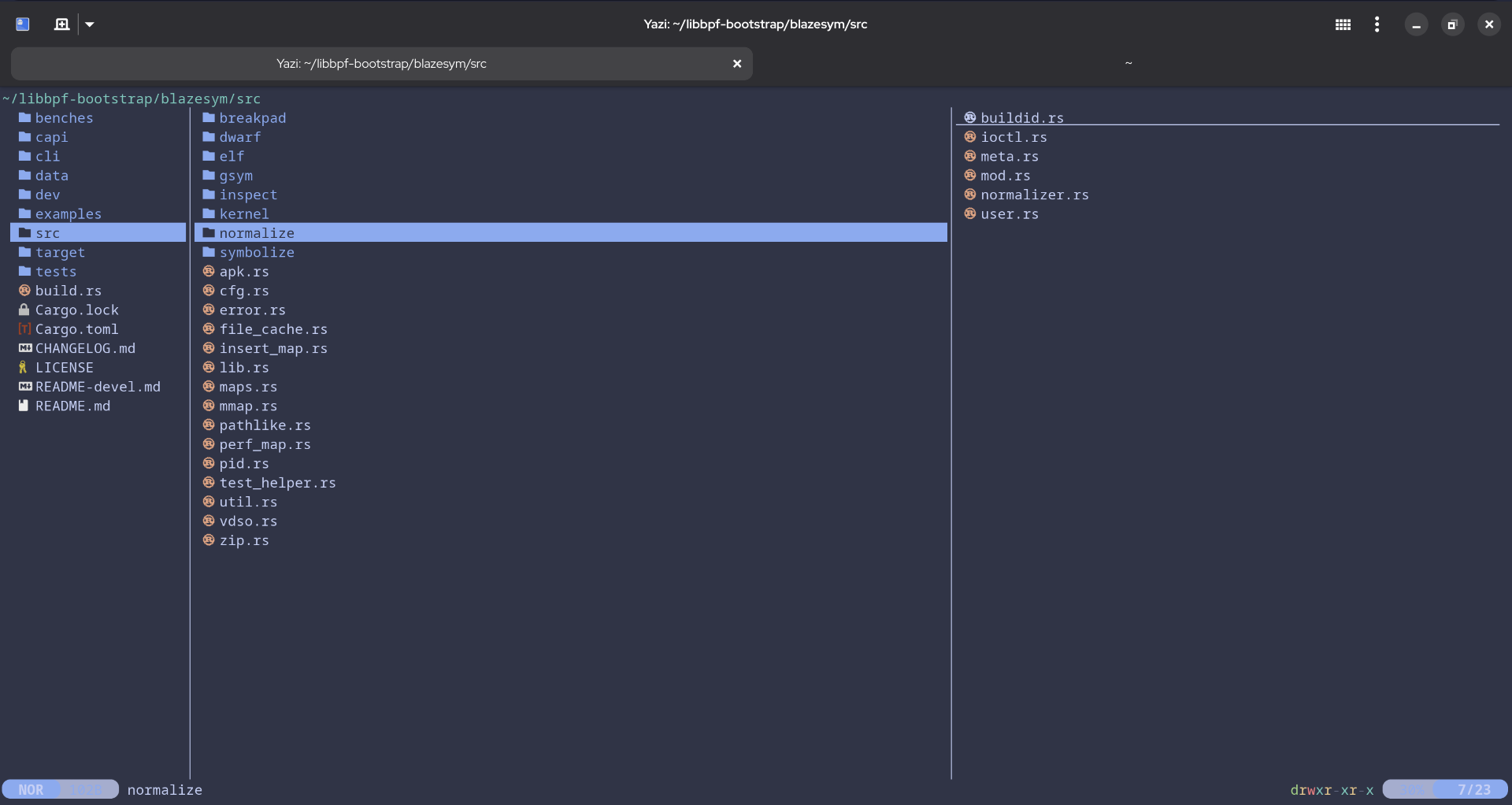
I use Yazi when I want quick visibility into a messy folder without switching to a graphical file manager. It lets me browse, preview, and reorganize files efficiently. The interface feels calm and structured, which helps when my filesystem looks like something I politely stopped calling temporarily four months ago.
Bottom: Clear view of system performance
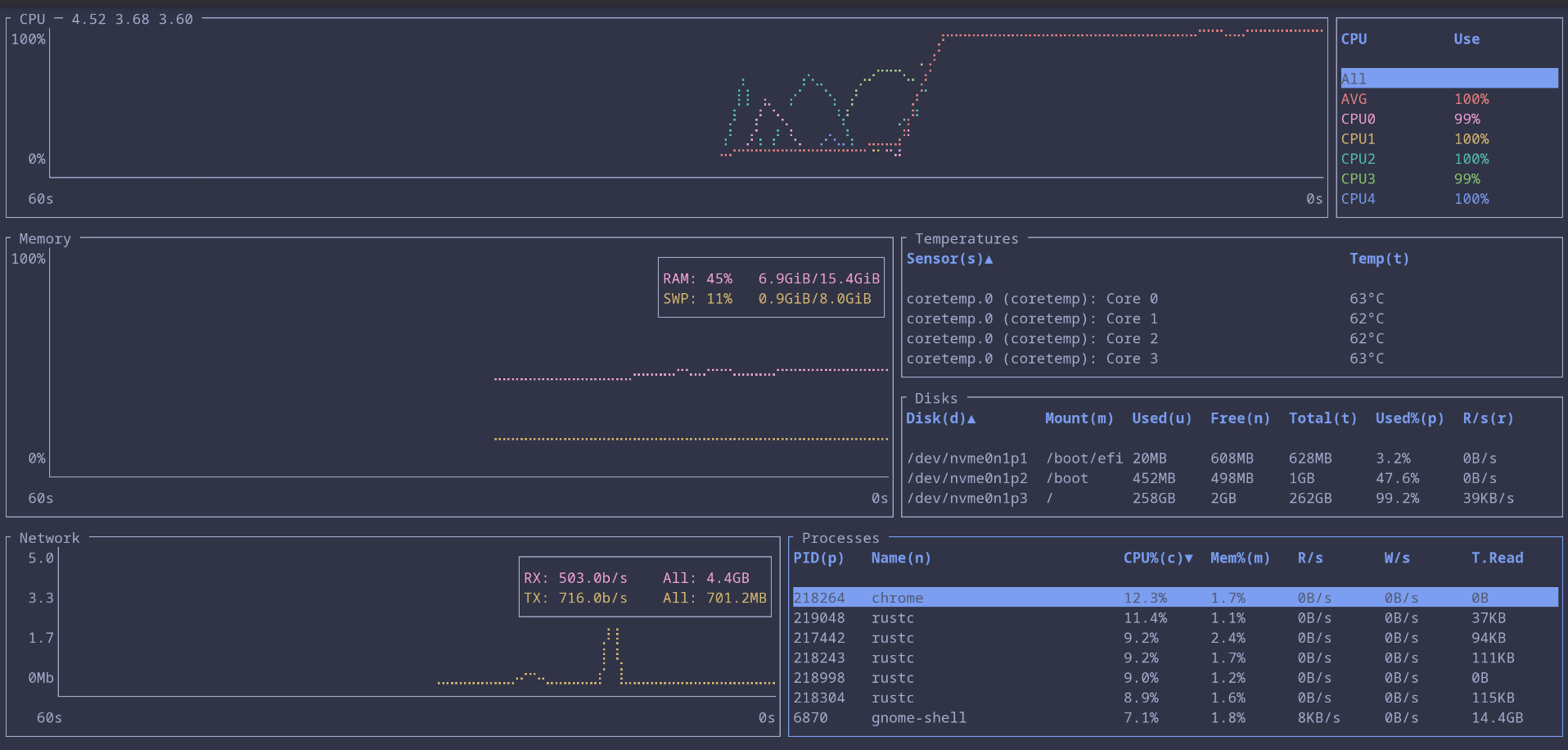
top and htop have earned their place, but Bottom provides a layout that I can read faster. It shows CPU, memory, network, and disk activity in a smooth, uncluttered format and processes are much more easier to sort and filter.
This is especially useful on servers, where I need quick interpretation rather than detailed investigation (most of my work happens under time pressure, usually while someone is asking what broke).
zoxide: Navigate the filesystem without thinking
Zoxide tracks the directories you visit and lets you jump to them using short queries. Using it I find myself navigating effortlessly through deep directory structures that would normally require long paths or repeated tab completion.

Once I have used zoxide for a while, returning to plain cd feels like losing a small but important muscle memory. The tool cuts down on typing and lets me focus on the actual task instead of the mechanical steps between tasks.
trash-cli: Safer alternative to rm
rm is really powerful, but it is not forgiving. The entire internet knows the meme about sudo rm -rf / and it exists for a reason. One typo and the system obeys without hesitation. trash-cli gives me a safer workflow by sending deleted files to the trash instead of destroying them immediately. I get a second chance without having to think about it.

This matters most when I am working quickly or while juggling multiple tasks. I sometimes clean up directories automatically and only later realize I deleted the wrong file, usually the file I need most (a very predictable pattern in my life), but with trash-cli, recovering that file is simple.
aria2c: Downloads that actually finish
Large downloads fail more often than you expect. Slow mirrors, flaky connections, and half finished transfers are a daily annoyance (the internet has the personality of a cat on certain days). aria2c fixes this by using segmented downloads and parallel connections. It supports HTTP, FTP, torrents, and metalinks, and it handles long jobs reliably.
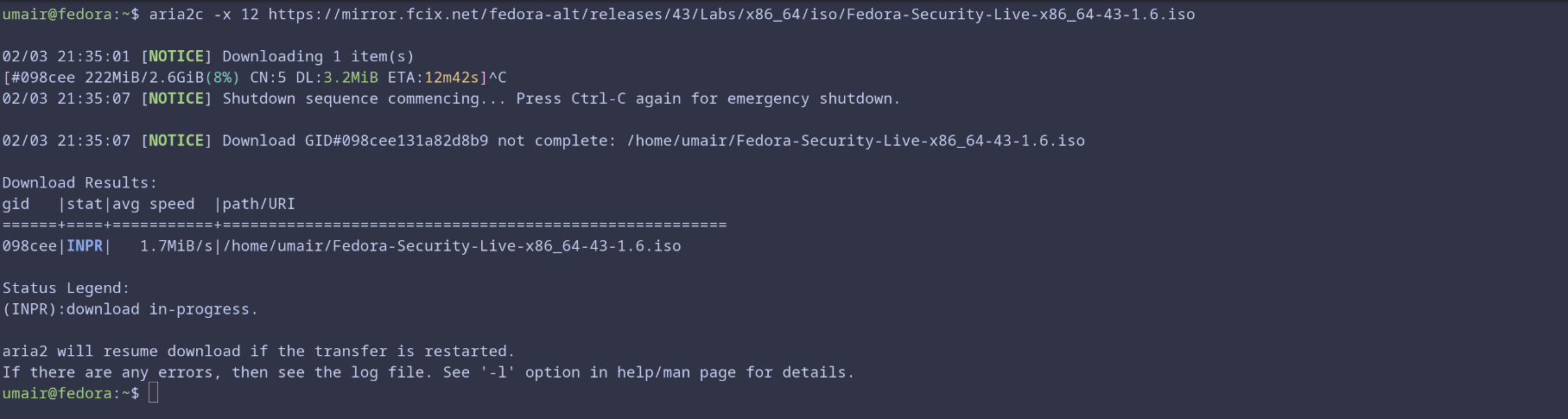
When I am downloading ISOs or anything more than 1 GB data, aria2c is the tool I trust. It recovers from interruptions gracefully and uses bandwidth efficiently. It is reliable enough that I sometimes forget how unstable normal downloads can be.
Honorable mention: meowfetch
Everyone has a favorite fetch tool. Some people want minimal output, some want detailed system stats, some just want color schemes they can brag about. I love cats, so meowfetch has a special place on my system. It shows system info with a cat themed output and that is enough reason for me.
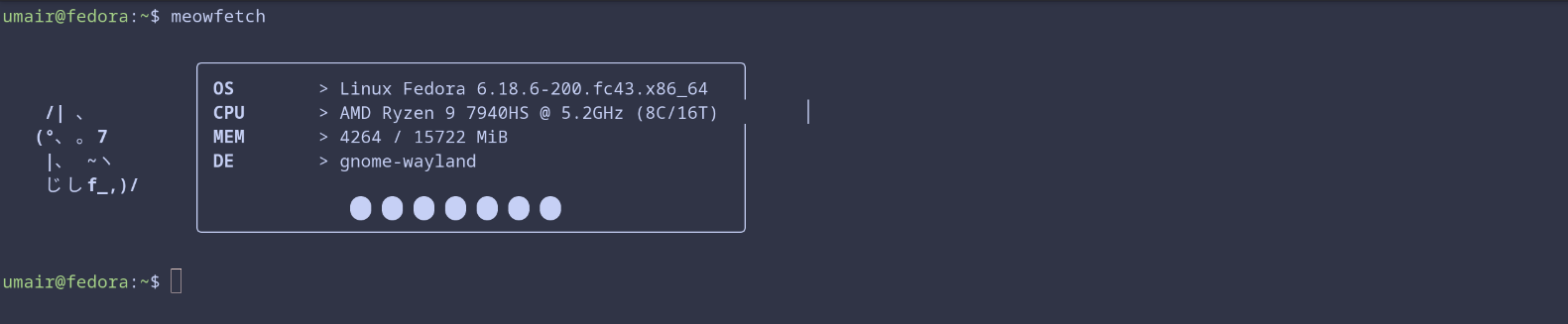
It is not essential, but it adds a little moment of joy whenever I open a terminal. Sometimes that is all a tool needs to justify itself.
These tools smooth out the rough edges, reduce repetitive tasks, and save mental effort.
None of these tools are complicated, which is exactly why I like them. They make the terminal feel more responsive and less tiring. They help me stay focused on real work instead of wrestling with the small tasks that slow me down. Over time, that makes a noticeable difference.
If you put together your own list of essentials, you will probably find a few favorites that end up on every system you use. I would love to hear which ones make your cut.